Your notes, one hover away.
Sticky notes that tuck into the edge of your Windows screen.
Hover to peek, click to write, get back to work.
import { createSession } from "./session";import { hashToken } from "./crypto";export async function refresh (req, res) { const token = req.cookies["rt"]; if (!token) return res.status (401 ).end (); // TODO: Safari sets this cookie twice? const session = await createSession ({ user: req.user.id, token: hashToken (token), sameSite: "lax", }); res.cookie ("rt", session.refresh, { httpOnly: true }); return res.json ({ ok: true });}Enthalpy and Hess's law
Key ideas
Enthalpy change is a state function, so the total ΔH for a reaction is the same no matter which route it takes. Add the steps, add their ΔH values.
Chapter Seven
The letter had been folded so many times that the creases had worn through, and Mira had to hold it to the window to read the last line.
It wasn't signed. It didn't need to be. Only one person had ever called her little compass, and he had been gone for eleven years.
Outside, the morning train pulled into the station with a long, tired breath. She folded the letter along its old lines and put it back in her coat.
"You're early," said Mrs Vale from the doorway, as if early were a kind of crime.
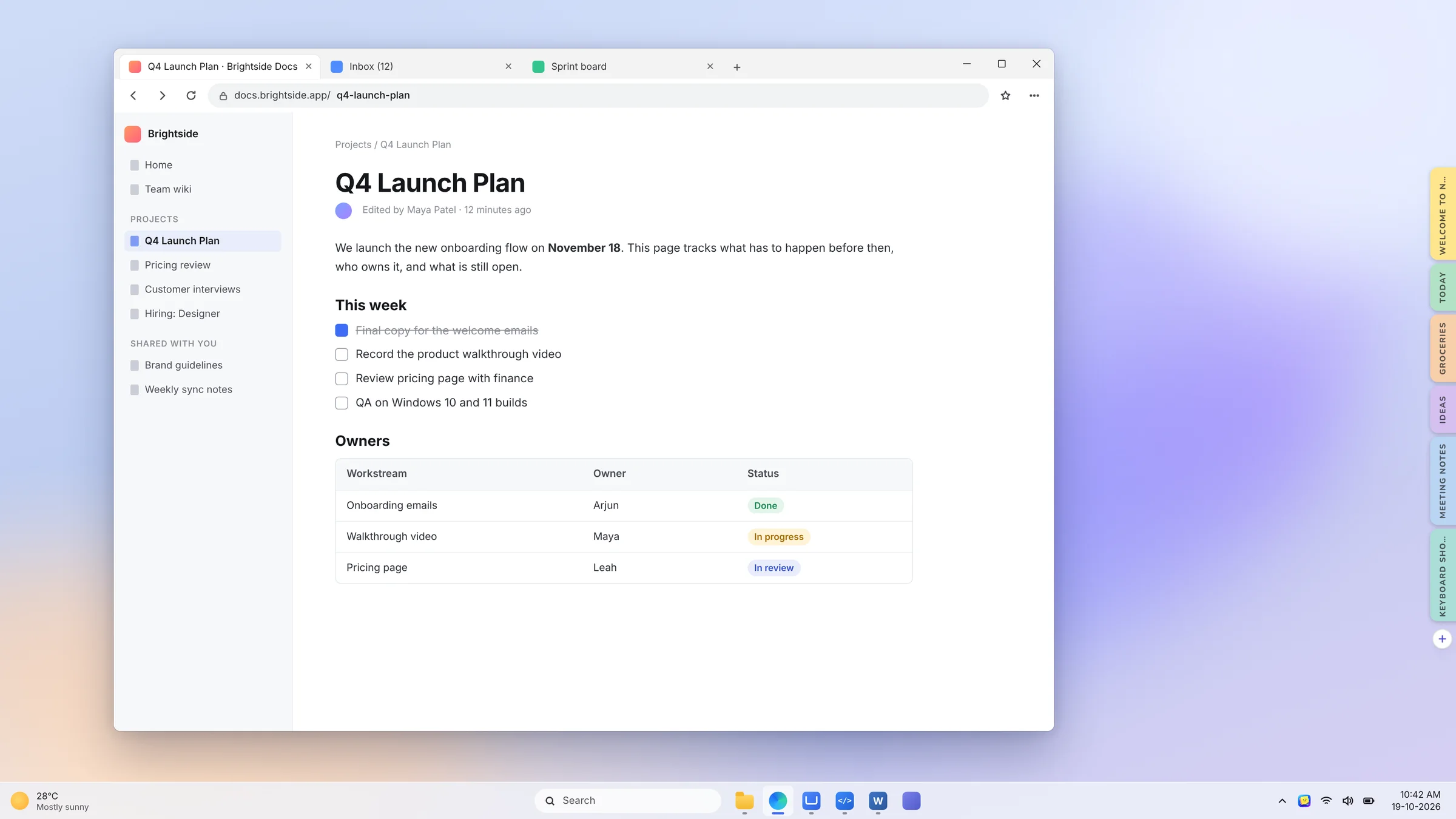
Q4 Launch Plan
We launch the new onboarding flow on November 18. This page tracks what has to happen before then, who owns it, and what is still open.
This week
Owners
19-10-2026
Sticky notes shouldn't sit on top of your work.
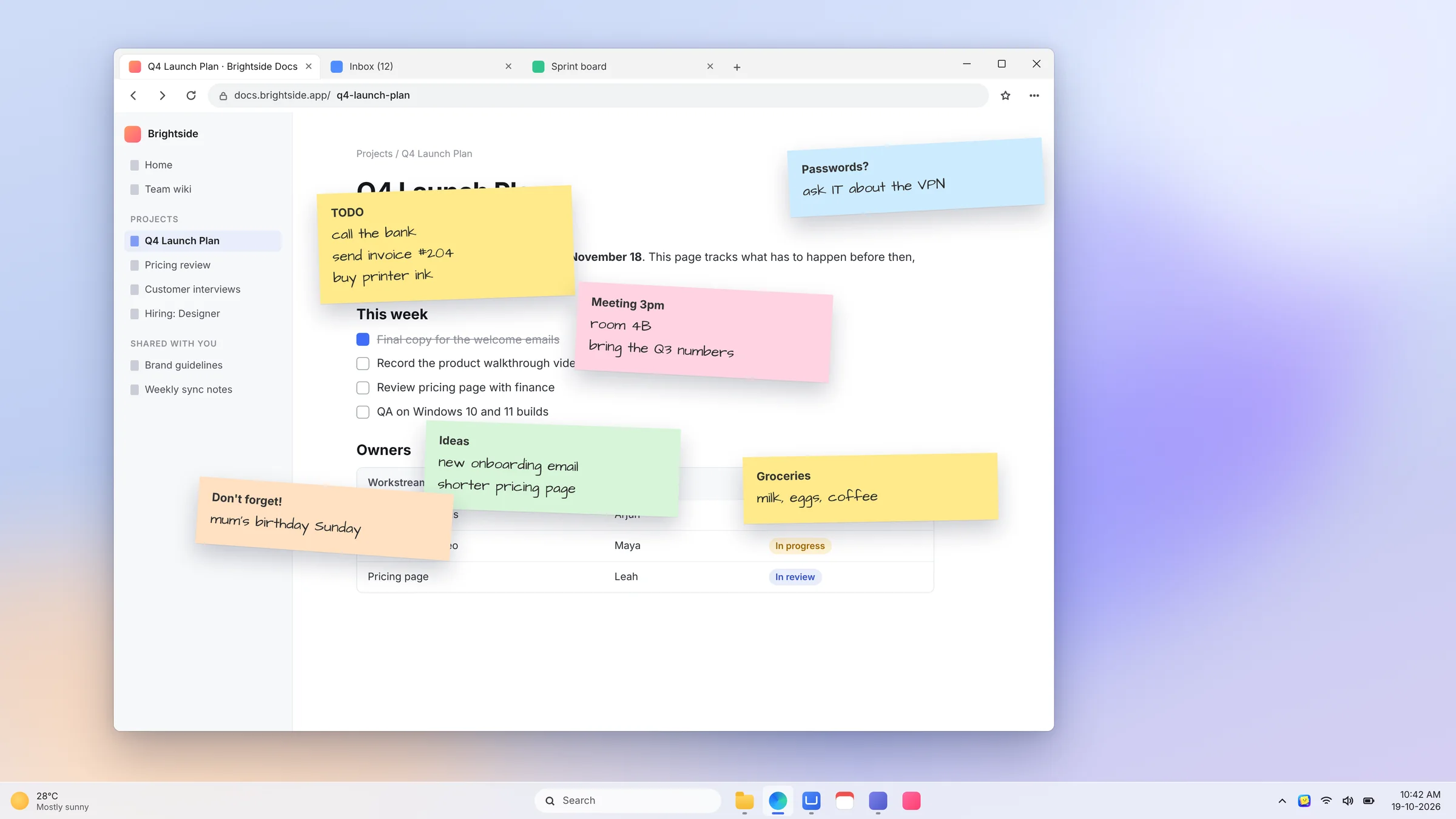
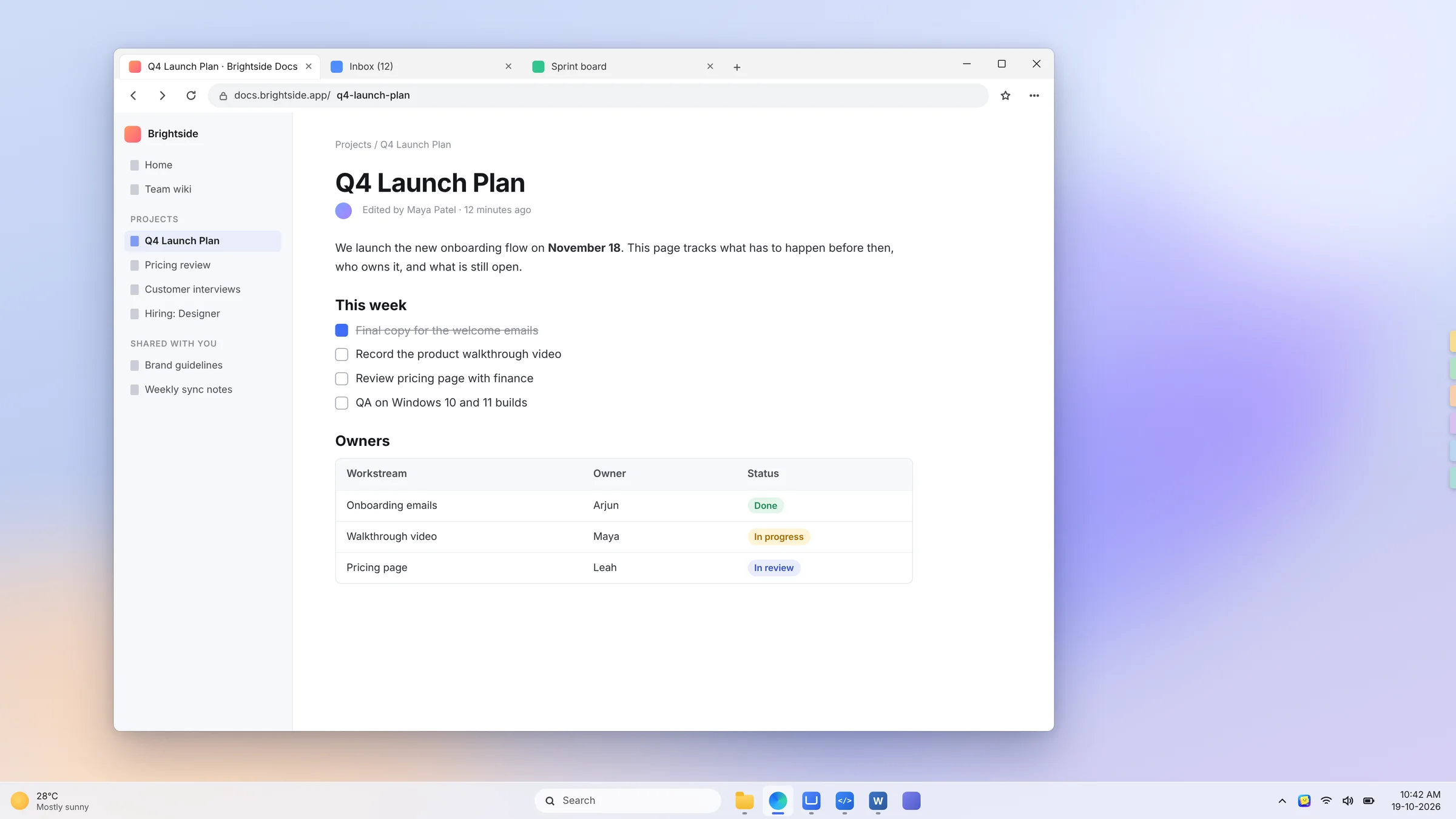 Without NotePebbleWith NotePebble
Drag to compare
Three moves. Zero searching.
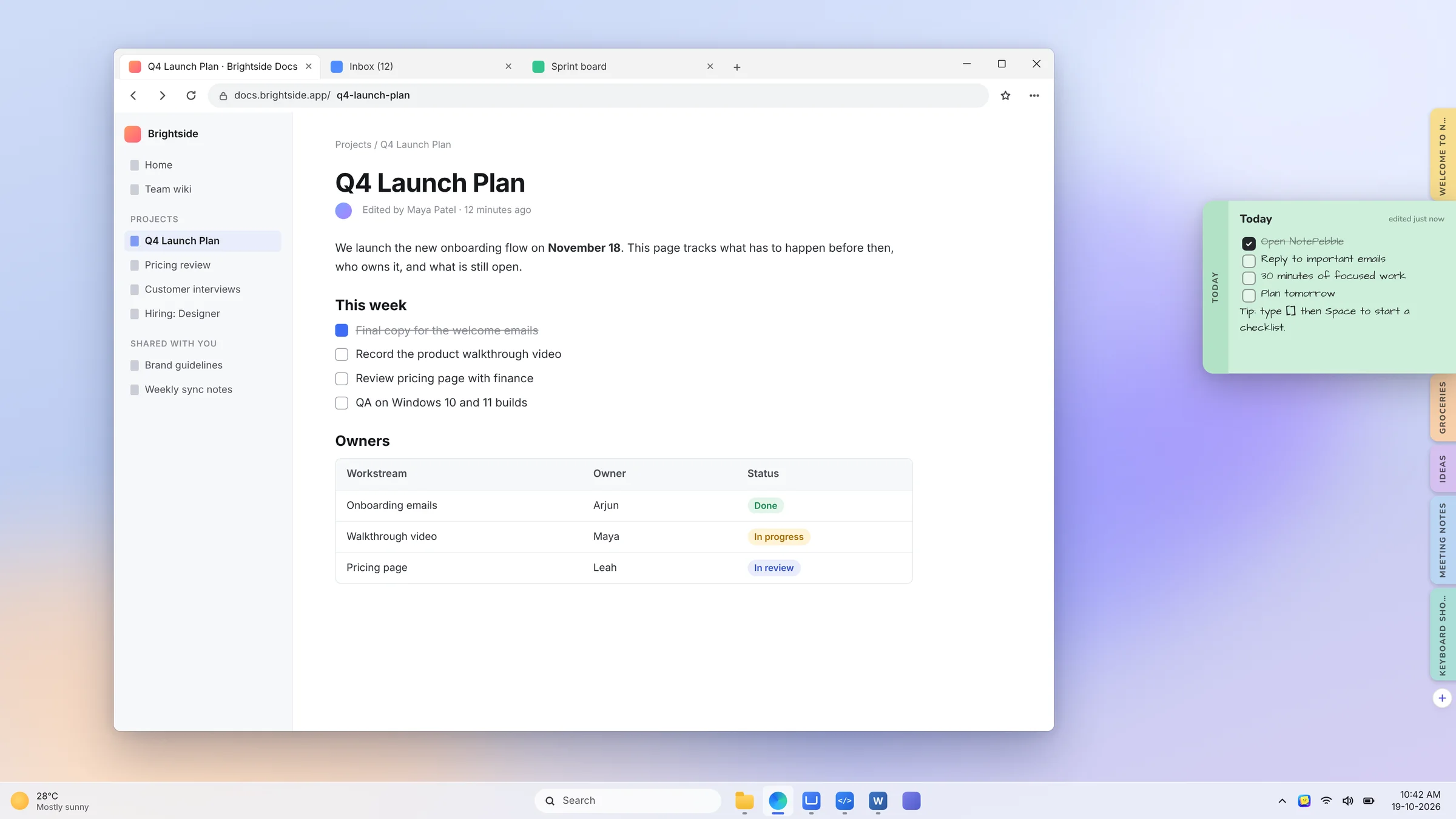
NotePebble lives on the side of your screen. You never open it, you just reach for it.
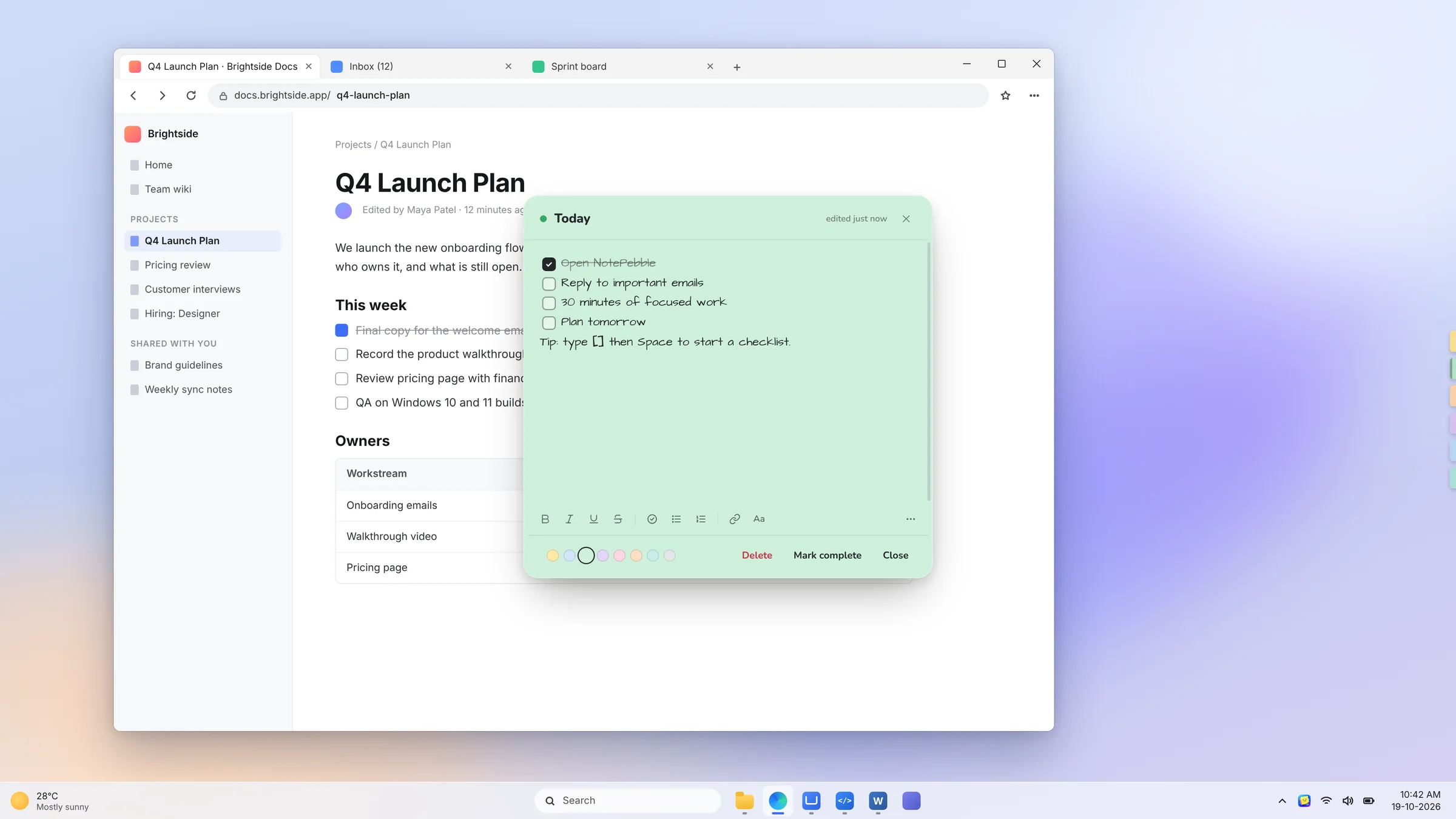
For the little things you can't afford to forget.
Keep context next to your code.
Deploy steps, the bug you're chasing, the command you always forget. One hover away, without leaving your editor.
- Stays above your IDE and terminal
- New note mid-task with Ctrl Alt N
- Typewriter font for snippets
- Merged auth refactor
- Review PR #482
- Fix flaky checkout test
- Bump version
- Run migrations
- Tag release
Deadlines you can see without looking.
Due dates, formulas and reading lists sit on the edge of your screen while you study, then get out of the way.
- Checklists for every assignment
- Handwritten font that feels like paper
- Works offline in the library
- Chemistry lab report
- History essay outline
- Maths problem set 6
Nov 9 Calculus
Nov 15 Economics
PV = nRT
Ideas caught before they disappear.
Character notes, plot points and the line you just thought of. Write it down in one keystroke and keep typing.
- Never covers your manuscript
- Colour-code by chapter or character
- Export everything to Markdown
- Monday 1,200
- Tuesday 900
- Today: 1,000
Tomas, her brother
Every follow-up, right where you work.
1:1 agendas, priorities and promises you made in meetings stay visible all day, without another window open.
- Peek at your agenda during a call
- Tick items off as you go
- Mark complete when it's done
- Career goals
- Feedback on the demo
- Time off in December
2. Hire a designer
- Send budget to finance
- Book offsite venue
A small app that thought of everything.
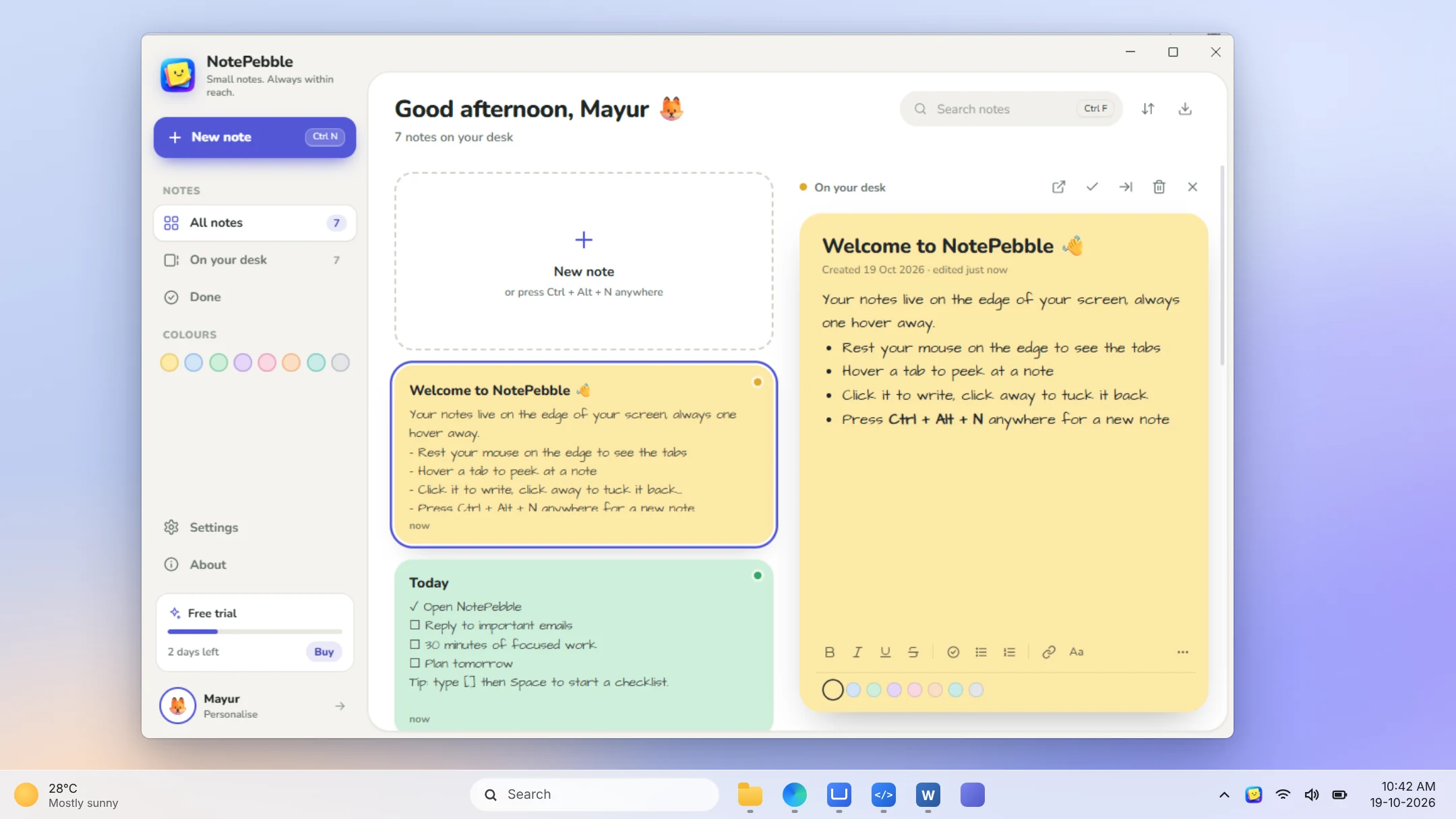
The dock for what you need today, and a full notes window for everything else.
Every note in one calm window
Search, sort, filter by colour and drag to rearrange. Finished notes go to Done, out of your way.
Private by design
Your notes are saved on your PC and nowhere else. We can't read them, and neither can anyone else.
New note from any app
One shortcut, wherever you are. The note opens ready to type.
Lists as you type
Start a line with a dash, a number or brackets.
1.numbered lists
[]☐ checklists
Delete without the dialog
Notes go straight away, with 10 seconds to bring them back.
Make every note yours
Eight colours and four fonts, including a handwritten one. Go on, try it.
Farmers market at 9.
Call Sam about the bikes.
Pick up the cake for Sunday.
☑ Book the cab
☐ Water the plants
☐ Return library books
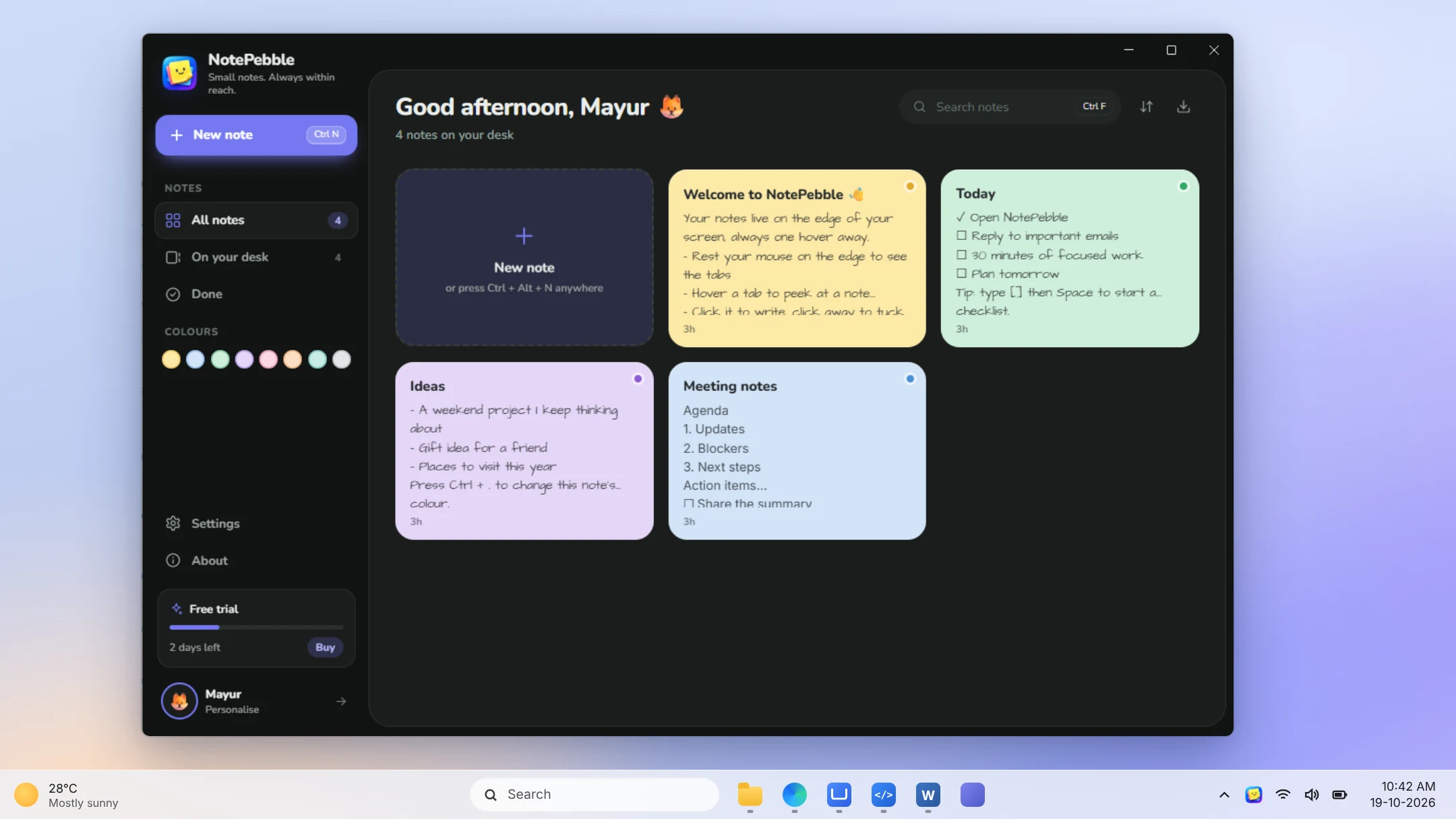
Light, dark or follow Windows
Pick a theme, or let NotePebble switch with Windows. Six accent colours and your name in the greeting, too.
Left or right, three sizes
Put the dock on either edge, in Small, Medium or Large.
Starts with Windows
Your notes are on the edge the moment you sign in, so you never have to remember to open them.
Backed up every day
The last 10 days are kept automatically. Restore or export to Markdown in two clicks.
Light as a pebble.
NotePebble sleeps in the tray until you reach for the edge. It barely touches your CPU, your notes weigh almost nothing, and nothing ever leaves your PC.
Sleeps until you need it
The dock waits quietly at the edge and wakes the moment your mouse arrives. No busy loops, no syncing in the background.
Tiny notes, tiny files
All your notes live in one small file on your PC, with a daily backup next to it. You'll never notice the space.
Runs on any Windows PC
Windows 10 or 11, an older laptop or a new desktop. No special hardware, no account, nothing to configure.
Measured on a test PC with 18 notes, 45 seconds after launch, with the pointer away from the dock.
Why not just use…
Paper, desktop sticky notes and notes apps all work. Just not while you're in the middle of something.
| NotePebble | Desktop sticky notes | Notes apps | Paper notes | |
|---|---|---|---|---|
| Always reachable, never covers your work | ✓ | ✕covers your windows | ✕in another window | ~stuck to the monitor |
| Read a note with one hover | ✓ | ~ | ✕ | ✓ |
| Desktop stays clear | ✓ | ✕ | ✓ | ✕ |
| Checklists and formatting | ✓ | ~basic | ✓ | ✕ |
| No account, works offline | ✓ | ~varies | ~varies | ✓ |
| Search, backups and export | ✓ | ~ | ✓ | ✕ |
| Price | $9.99once | Free | Often a subscription | Pennies, until you lose one |
One price. Yours for life.
No subscription and no upsells. Try every feature free for 7 days before you pay a thing.
Everything you get
On your desktop
- The edge dockPeek, open and write without leaving your work
- New note from any appCtrl Alt N, wherever you are
Writing
- Checklists, lists and linksFormatting that starts as you type
- 8 colours and 4 fontsIncluding a handwritten one
Organising
- The All notes windowSearch, sort, filter and Done
- Light and dark themesSix accent colours to match
Your data
- Daily backups and exportThe last 10 days, kept for you
- Works offlineOnline once to activate, then never needed
Use every feature free for 7 days. No card needed. When the trial ends, your notes stay readable.
Questions, answered.
Can't find what you need? Email support@notepebble.com and a real person will reply.
Read the help guideWhat happens when the free trial ends?
Your notes stay on your PC and you can still open, read, search and export them. Writing, editing and the dock pause until you activate a licence key.
Is it a subscription?
No. You pay once and the licence is yours for good.
Do I need an account?
No. There's no sign-up for the trial or the licence. Buy a key, paste it in once, done.
Do I have to pay again for updates?
No subscription, ever. You pay once and NotePebble is yours to keep.
Does it work offline?
Yes. NotePebble needs the internet once, to activate your key. After that everything works offline.
Where are my notes stored?
On your own PC, in %APPDATA%\NotePebble, with a backup every day. There's no cloud copy.
Will it get in the way?
No. The pills take a few pixels at the screen edge and only open when you rest your mouse there. You can also hide the dock any time from the tray icon.
Can I get a refund?
Yes. Email us within 14 days of buying for a full refund.
Will it slow down my PC?
No. NotePebble uses under 1% CPU while it waits in the tray, and each note takes about half a kilobyte on disk. It runs on any Windows 10 or 11 PC.
Will it open by itself when I start my PC?
Yes, if you want it to. Turn on Start with Windows in Settings → Behaviour and your notes are on the edge every time you sign in.
Is there a Mac version?
Not yet. NotePebble is made for Windows 11 and 10.
Stop hunting for that one note.
Give every reminder, list and idea a home on the edge of your screen, and get back to the work that matters.